Construction · Case study
How BuildTrack Simplified Construction Project Management with a Custom All-in-One Platform
The client relied on third-party tools such as Buildertrend, plus spreadsheets and email for workflow gaps. The Build Track needed one platform aligned with its project, client, field-team, and subcontractor processes.
Centralized
Project Workspace
Per Project
Documentation
Role-Based
Team Access
The client relied on third-party tools such as Buildertrend, plus spreadsheets and email for workflow gaps. The Build Track needed one platform aligned with its project, client, field-team, and subcontractor processes.
01
The problem
Difficult to manage multiple projects with unique client and team structures
Punchlists, bid packages, and updates scattered across spreadsheets and emails
Miscommunication between office, field teams, and subcontractors
Inflexible tools made it hard to adapt to their existing process
No simple way to give real-time visibility to clients and homeowners
02
Project Management Core
Create projects and invite team members, clients, and subcontractors into one role-aware workspace
Centralizes project records, participants, and status views
03
Dynamic Punchlist Tracking
Attach punchlists to each project, assign items, and record completion status
Makes punchlist ownership and status visible to authorized project participants
04
Task Management System
Organize daily work, assign tasks to specific users, and record completion status
Provides one task queue for project assignments and follow-up
05
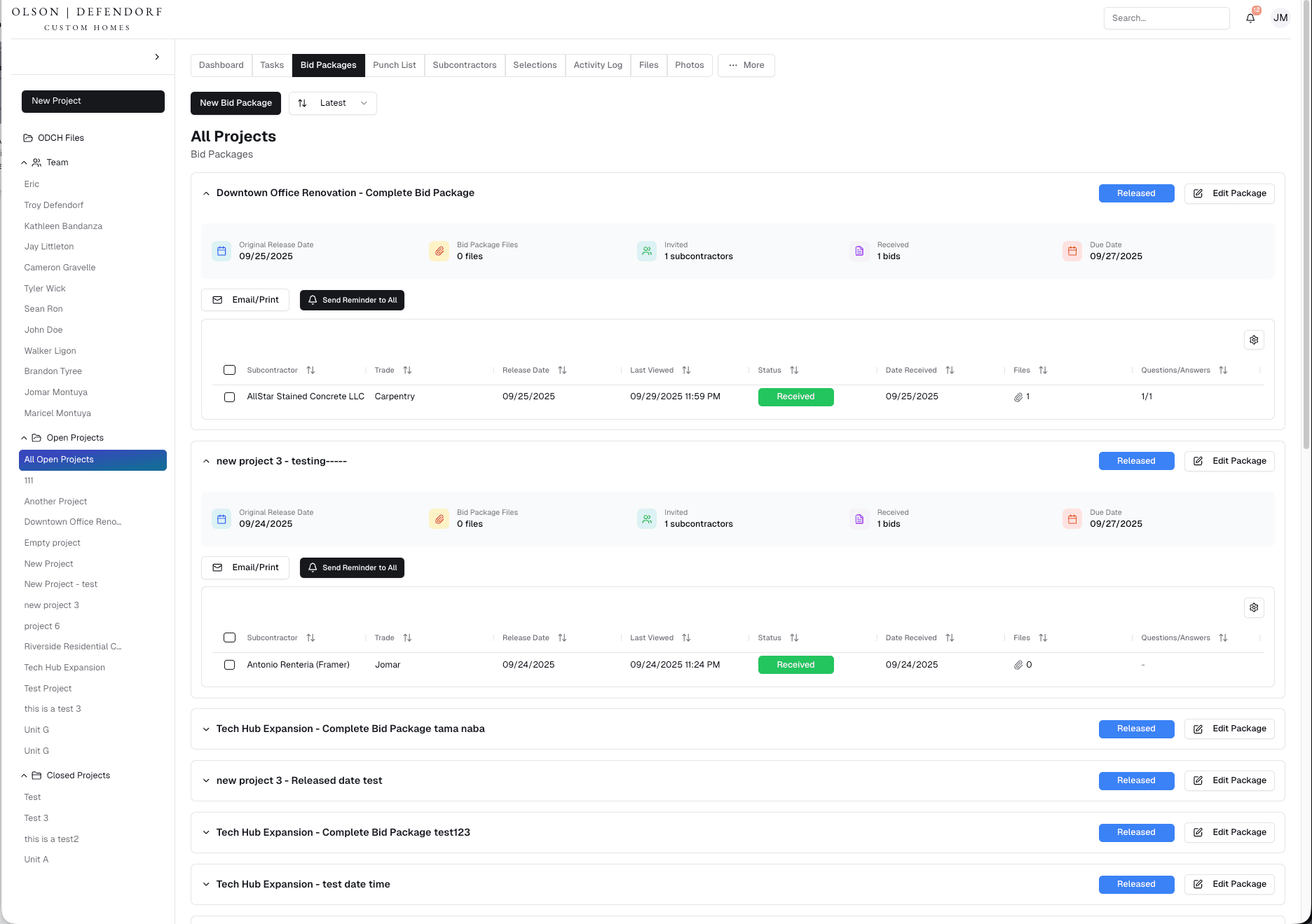
Bid Package Management
Create, manage, and send bid packages to subcontractors with status tracking
Keeps package details, recipients, and bid status in one workflow
06
Project Dashboard
Visual overview of pending punchlists, task status, and project activity
Gives project teams a shared operational view
07
Subcontractor Directory
Maintain a searchable database of subcontractors and contact details
Supports subcontractor lookup and bid-package selection
08
File and Photo Management
Upload, organize, and attach files or photos within each project
Stores project documentation alongside related tasks and activity
09
Daily Activity Logs
Team members can record daily updates for homeowners and project managers
Creates a dated project activity history for shared review
010
Email Notifications
Automated alerts for assigned tasks, updates, and project milestones
Routes relevant project changes to participating users
011
Delivery and handover
Full system deployment completed in 6 months
Onboarding and field team training included in rollout
Existing data and tool integrations covered during migration planning
Post-launch support and feature updates included
Inside the platform
The outcome
Projects, participants, tasks, punchlists, bids, and activity share one system. Files, photos, reports, and activity records stay attached to project context. Task assignments, updates, and milestones can trigger email alerts. Team members, clients, and subcontractors receive workflow-specific access